





Get ready to sharpen your mind and have a blast with Text Talk, the most exciting word puzzle game on the web! If you love the thrill of finding words and the fun of a fast-paced challenge, you’ve come to the right place. Text Talk combines the classic fun of word-finding games with a cool, modern twist. Imagine you’re in a super-fast texting conversation, but instead of typing messages, you’re creating words from a jumble of letters. It’s a fantastic way to test your vocabulary, improve your spelling, and race against the clock, all while having an amazing time. This game is perfect for everyone, from word game experts to kids just starting to explore the world of puzzles. It’s easy to learn but offers endless challenges that will keep you coming back for more. Jump into the fun and see how many words you can create. Let the text talk begin!
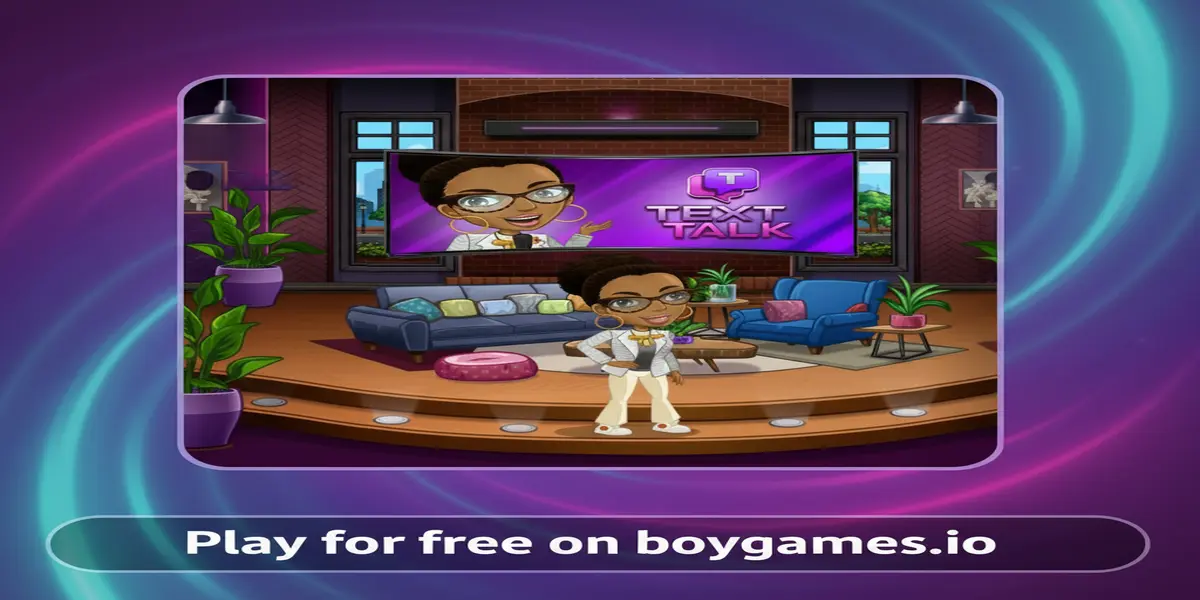
Text Talk is a vibrant and engaging online puzzle game that challenges you to create words from a given set of letters, all presented in a fun and relatable text-messaging interface. Think of it as a mix between a high-speed word scramble and a creative brain teaser. In each level, you’ll receive a “text” filled with letters, and your mission is to “reply” by forming as many words as you can before time runs out. The game belongs to the beloved genre of word puzzle games, which are celebrated for being both entertaining and educational. They help improve cognitive skills like problem-solving, pattern recognition, and, of course, vocabulary.
The popularity of Text Talk comes from its simple yet addictive formula. The game is incredibly accessible; anyone can start playing in seconds without needing a long tutorial. The short, bite-sized rounds make it the perfect game to play during a short break, while waiting for the bus, or for a relaxing evening at home. The friendly graphics and cheerful sound effects create a positive and encouraging atmosphere, making it a wonderful experience for players of all ages. Furthermore, the game includes a scoring system that rewards longer and more complex words, adding a layer of strategy that keeps dedicated players hooked. You’re not just finding words; you’re hunting for the highest-scoring words to climb the leaderboards and prove you’re the ultimate word master.
Getting started with Text Talk is as easy as sending a message to a friend! The main objective of the game is to score as many points as possible by forming words from the letters provided in the game’s “chat bubbles.” When you begin a round, you’ll see a collection of letter tiles on your screen. Your task is to click on these letters or type them to spell out valid English words. Once you’ve formed a word, you submit it, and if it’s correct, you’ll earn points and the letters will be replaced with new ones.
The core gameplay loop is simple, fast, and incredibly fun. Each round is timed, so you need to think and act quickly to maximize your score. The longer the word you create, the more points you’ll receive. Some levels might even feature special bonus letters that can multiply your score, so always keep an eye out for them! As you play, you’ll feel the exciting rush of finding a new word just as the timer is about to run out. The game gets progressively more challenging, introducing more complex letter combinations and faster timers to keep you on your toes. The goal is to beat your own high score with each new game, constantly improving your speed and word-finding skills.
Mastering the controls is key to winning. The controls for Text Talk are designed to be simple and intuitive, allowing you to focus on the word-finding fun. Here is how to navigate the game:
Want to beat the high score and become a Text Talk champion? Keep these powerful strategies in mind to boost your performance and leave your old scores in the dust:
Looking to play Text Talk unblocked? You’re in luck! Our website offers a safe, secure, and fully accessible version of the game. This means you can enjoy Text Talk without worrying about the network restrictions often found on school or office computers. These firewalls are usually set up to block gaming sites, but Boygames.io is designed to be a reliable place where you can access your favorite browser games freely and safely. So, you can take a quick brain break and dive into a round of word-building fun whenever you need it.
Many players often search for terms like “unblocked 76” or “unblocked games 66” to find playable versions of their favorite titles. While those sites can sometimes work, playing Text Talk directly here on Boygames.io is the best choice. We ensure you are playing the official, up-to-date, and safest version of the game. Our version is optimized to run perfectly on modern browsers like Chrome, Edge, and Firefox, giving you the smoothest and most enjoyable gameplay experience without any security risks or annoying pop-ups.
Text Talk is a browser-based game designed for instant fun, so you don’t need to download anything to play it here on Boygames.io! However, it’s common to find apps with similar names on different platforms. To avoid confusion, always prioritize official sources. Here’s a breakdown of what you might find:
Yes, you can play Text Talk completely for free on our website. There are no hidden fees, subscriptions, or charges required to enjoy the full game.
No, you do not! Text Talk is an HTML5 browser game. This means it runs directly in your web browser like Chrome, Firefox, or Safari without any need for downloads or installations.
Absolutely! The game is fully responsive and designed to work great on a wide range of devices, including desktops, laptops, Chromebooks, smartphones, and tablets. The controls are optimized for both mouse and touch-screen play.
Yes, Text Talk is a fantastic game for kids. It’s family-friendly, non-violent, and educational. It helps children improve their vocabulary, spelling, and typing skills in a fun and engaging way.
Your high score is typically saved automatically in your browser’s local storage. This means as long as you use the same browser on the same device, your best score will be there waiting for you to beat next time you play!
Text Talk stands out with its unique and modern “text message” theme, which makes the gameplay feel fresh and relatable. Its combination of fast-paced, timed rounds and an intuitive interface creates an addictive experience that is both a relaxing pastime and a sharp mental workout.
If you enjoyed the word-building challenge of Text Talk, you’ll love exploring other titles in our collection of Puzzle Games Online. Here are a few similar games that will test your vocabulary and quick thinking:
Text Talk is more than just a game; it’s a delightful mental exercise wrapped in a fun, modern package. It’s the perfect blend of challenge and entertainment, offering endless replayability as you strive to beat your own high score. Whether you have five minutes or an hour to spare, this game provides a rewarding experience that sharpens your mind, expands your vocabulary, and offers a satisfying sense of accomplishment with every new word you discover. Its accessibility makes it a go-to choice for puzzle lovers of all ages and skill levels.
Don’t wait any longer to test your word-smithing skills! The exciting world of chat-based word puzzles is just a click away. Challenge yourself, race against the clock, and see how high you can score. Click the play button now to start your first game of Text Talk and let the words fly!
Check out the video below to see an example of how text-based elements can make a game fun and engaging! While this gameplay is from the adventure game Star Stable Online, it features a text message interaction that captures the fun spirit of communication you’ll find in our word puzzle, Text Talk. It’s a great look at how modern games use familiar interfaces to create awesome experiences.
 (No Ratings Yet)
 Loading...