







Ever wondered what millions of people are searching for on Google every single day? Get ready to put your mind-reading skills to the test with Google Feud, the super fun and addictive online game that challenges you to guess the top 10 autocomplete suggestions for a variety of search terms! It’s like the famous TV show Family Feud, but with a modern twist – instead of guessing what people say, you’re guessing what they type. It’s easy to learn, surprisingly tricky, and tons of fun for all ages. Can you think like the crowd and predict the most popular searches? There’s only one way to find out. Jump in and start guessing!
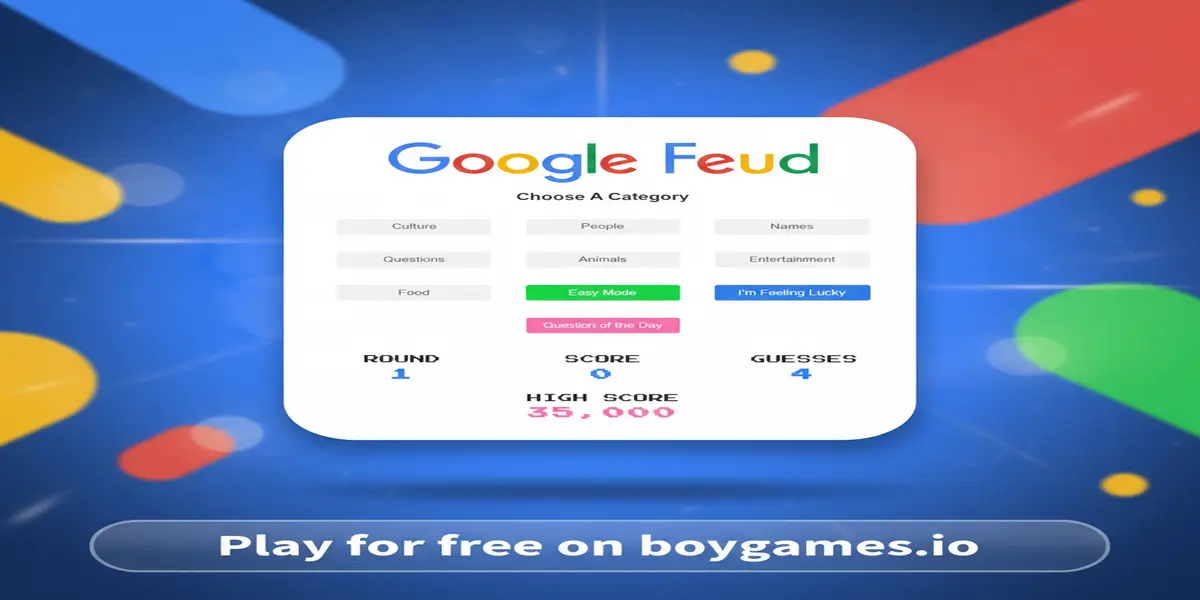
Google Feud is a fantastic browser-based puzzle game that turns Google’s search function into a brilliant guessing game. The main idea is simple: the game gives you the beginning of a common Google search phrase, and your job is to guess the top ten ways that phrase is completed by real people. You choose from one of four categories—Culture, People, Names, or Questions—and then the challenge begins. For example, the game might ask, “Why is the sky…” and you have to guess the ten most popular endings, like “…blue?” or “…so hazy today?”. Every correct answer you find reveals itself on the board and earns you points, but be careful! You only get three wrong guesses, or “strikes,” before the round is over.
The game’s popularity comes from its brilliant simplicity and relatability. We all use Google every day, so the game taps into a shared experience. It’s incredibly satisfying to correctly guess a popular search, making you feel connected to the “hive mind” of the internet. It’s also hilarious to see some of the strange and unexpected things that make the top ten list! This blend of familiar technology, simple gameplay, and the endless surprise of human curiosity makes Google Feud a game you can play for hours. It’s a perfect game to challenge yourself or to play with friends and family, seeing who knows the pulse of the internet best. For fans wanting to dive deeper into the game’s history and background, the Google Feud Fandom page offers some interesting tidbits.
Getting started with Google Feud is as easy as pie! Your main goal is to guess as many of the top 10 Google autocomplete suggestions for a given phrase as you can. The more you guess correctly, the higher your score will be. A complete round can be broken down into a few simple steps. First, you’ll see a screen asking you to choose one of four categories: Culture, People, Names, or Questions. Click on the one that sounds most interesting to you.
Once you’ve selected a category, the game will present you with the beginning of a search query. For example, it might show “Can a dog eat…”. Now it’s your turn to shine! Think about what millions of people might be asking about what dogs can eat. Type your guess into the answer box and hit Enter. If your guess is one of the top 10 results, it will appear on the game board along with the points it’s worth—the most popular search is worth 10,000 points! If your guess is wrong, you’ll get a strike, marked by a big red ‘X’. You have three strikes per round. The round ends when you either guess all 10 answers or get three strikes. Then, your score is tallied, and you can choose to play another round in a new category!
Mastering the controls is key to winning. Luckily, they couldn’t be simpler! Here is how to navigate:
Want to beat the high score and become a Google Feud champion? Keep these powerful strategies in mind:
Looking to play Google Feud unblocked during a break at school or work? You’ve come to the right place! School and office networks often use filters that block gaming websites, preventing you from accessing your favorite titles. However, our version of the game is hosted on a secure and accessible platform. This means you can enjoy all the fun of guessing Google searches without worrying about frustrating restrictions. We make sure our site is available so you can play whenever you need a quick and fun brain break.
Many players often search for terms like “Google Feud Unblocked 76,” “Unblocked Games 66,” or other similar variations. While those sites might host older versions of games, playing directly here on BoyGames ensures you have the official, latest, and safest version. Our game is optimized to run perfectly on modern browsers like Chrome, Edge, and Firefox. You don’t have to worry about outdated software, security risks, or slow performance. For the best and most reliable experience, always play directly on our platform.
While the best way to play is right here in your browser, you might be curious about mobile app versions. Always prioritize official sources to avoid viruses and protect your devices.
Yes, you can play Google Feud completely for free on our website. There are no hidden fees, subscriptions, or charges to play as many rounds as you like.
The browser version of Google Feud is a single-player game. However, it’s incredibly fun to play with friends! You can gather around one screen, take turns guessing, and work together as a team to solve the board. See who can get the most correct answers!
Yes, the answers in the game are based on real data from Google’s autocomplete API. This means you are genuinely guessing what millions of people have actually searched for, which is what makes the game so fascinating and unpredictable.
The points are based on the popularity of the search term. The #1 most popular autocomplete suggestion is worth the most, at 10,000 points. The score decreases for less popular suggestions, down to the #10 spot. Guessing all ten will give you the maximum score for the round.
If you make three incorrect guesses, the round ends immediately. The game will then reveal all the answers you missed on the board so you can see what the correct suggestions were. Don’t worry, you can start a new round right away!
Sometimes an answer that seems perfectly logical doesn’t make the top 10 list. This is part of the challenge and fun of the game! The results can be influenced by recent events, regional trends, or just the weird and wonderful nature of human curiosity. What you think is obvious might not be what the majority of people are searching for.
If you enjoyed the challenge of guessing and thinking outside the box in Google Feud, you’ll love these other fantastic Puzzle Games Online:
Google Feud is more than just a game; it’s a fascinating peek into the collective mind of the internet. It brilliantly combines the simple fun of a guessing game with the endless curiosity of web searches. With its easy-to-learn rules, quick rounds, and surprisingly challenging gameplay, it’s the perfect way to pass the time, challenge your brain, and share a few laughs with friends. You’ll be amazed at what you learn about popular culture, common questions, and the weird things that people search for online.
Are you ready to prove you’re a search-guessing guru? The Feud is waiting for you! There’s no download and nothing to pay for. Just pure, simple, and addictive fun. Click the play button now and see if you can top the leaderboards. Good luck!
 (No Ratings Yet)
 Loading...